How to Build in Build with Blocks
Master inventory selection, placement rhythm, and clean edits on your personal plot.
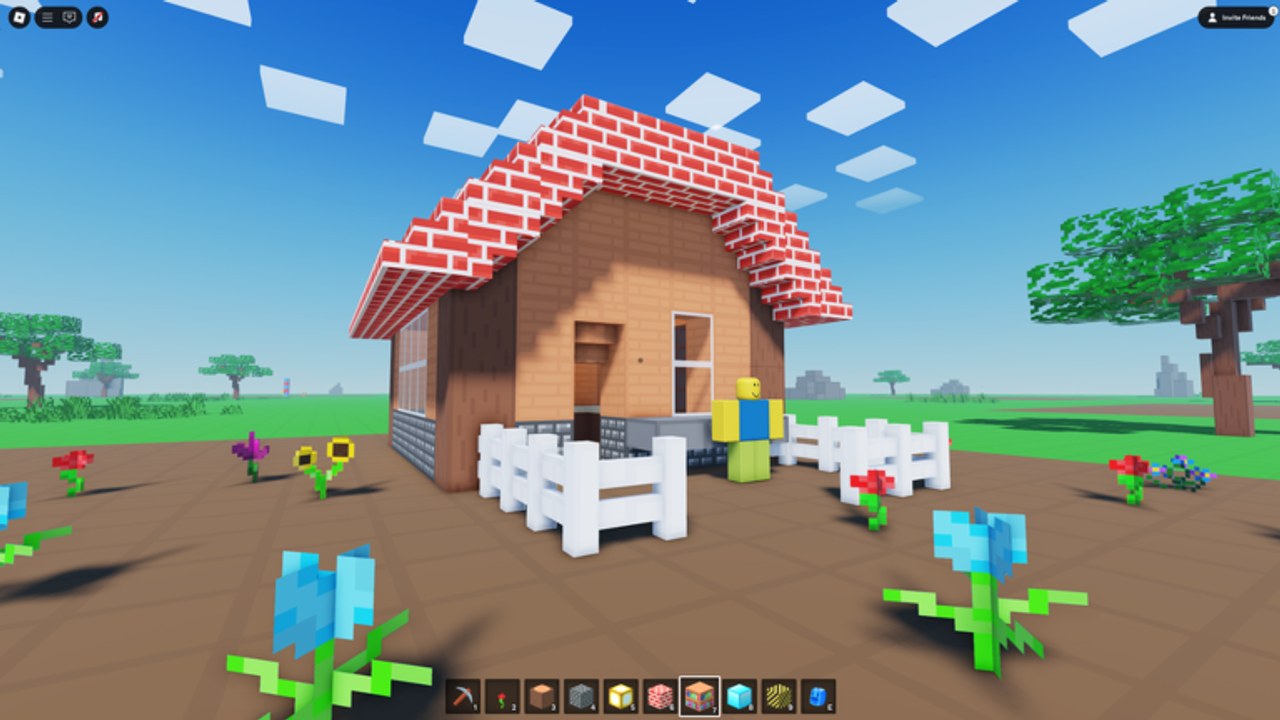
Building is the entire fantasy of Build with Blocks. Goober Labs describes the loop in four beats: open inventory, select a block, click or tap to place, then mine with the pickaxe. This guide expands each beat so your plot grows with intention instead of accidental towers.
The official four-step loop
- Open your Inventory — find the block catalog on your HUD.
- Select a Block — highlight the material you want active.
- Click or Tap to Place — aim at a valid surface on your plot.
- Use the Pickaxe to Mine Blocks — remove or reclaim pieces you regret.
Memorize that order. Most “I can’t build” reports are really “I never selected a block” or “I am aiming off my plot.”
Placement fundamentals
Aim before you spam
Move the camera so you see the face you want to attach to. Place one block, orbit, then continue. Rapid clicking without camera checks creates floating studs that look broken in screenshots.
Work in layers
- Layer 0: foundation footprint
- Layer 1: walls and openings
- Layer 2: roof or balcony
- Layer 3: props and lighting accents
Layered builds are easier to mine later because you can strip a floor without collapsing the whole idea. Pair this with How to Mine when you need surgical deletes.
One material per shell
Pick a primary structural material for the entire outer shell. Add a second accent only after the silhouette reads clearly from the plot edge. The tier list helps you decide which blocks deserve shell duty versus decoration.
Watch a real session
The embedded video below shows Build with Blocks gameplay so you can mirror inventory and placement timing. Watch the HUD, not just the finished house—the useful part is how often the builder reselects blocks and repositions the camera.
Desktop vs mobile building
Desktop: mouse aim is precise; use it for pixel-art façades and thin pathways. Mobile: tap placement favors larger gestures—build chunkier pillars and wider stairs. Full input notes live in Controls. If a tap registers as walk instead of place, confirm the block is still selected after opening chat or settings.
Editing without rage
Mistakes are part of voxel life. Equip the pickaxe, mine the bad studs, and replace. Do not abandon a plot because of one crooked wall—mining is free progress recycling. When doors finally ship (already live on Voxel Block Builder and announced as coming here), you will still want clean openings, so practice carving gaps now.
Plot etiquette while building
Servers host up to eight players. Stay on your land unless invited. Avoid walling in spawn paths. If you collaborate, agree on a shared palette first—see Players for co-build manners.
Practice drills (15 minutes each)
- Grid drill: place a 8×8 flat pad with zero gaps.
- Wall drill: raise four walls of equal height, then mine a centered doorway.
- Roof drill: cap the shell with a flat roof, then mine a 2×2 skylight.
- Accent drill: add a single contrasting trim line around the base.
Complete the drills before freeforming a castle. Muscle memory beats inspiration when the weekly update drops new blocks mid-session.
After the shell exists
Dress the plot with pathways toward the edge, a seating nook for roleplay, and empty space for future props. Check Building Tips for silhouette and color advice, skim Updates for new pieces, and redeem anything listed on Codes.
Building well in Build with Blocks is less about secret menus and more about calm repetition. Select, place, review, mine, repeat—that is the craft.
Session checklist before you log off
Select a structural block, place one test stud, mine it, then reselect your accent block once. That thirty-second ritual confirms tools still work after a weekly patch and prevents the classic mistake of leaving the pickaxe equipped overnight. Bookmark Updates so tomorrow’s drop does not surprise your palette plan.
Frequently Asked Questions
Quick answers for Build with Blocks players.
Why won't my blocks place?
Confirm a block is selected in inventory, you are aiming at your own plot, and the server finished loading your land.
Can I move a whole structure at once?
The base loop is place-and-mine per block. There is no universal transform gizmo like Roblox Studio—rebuild or mine strategically.
Should I build tall on day one?
Start wide and stable. Tall spikes are harder to edit and look unfinished from the ground camera.
Where do I learn mining next?
Continue with How to Mine and refine style in Building Tips.